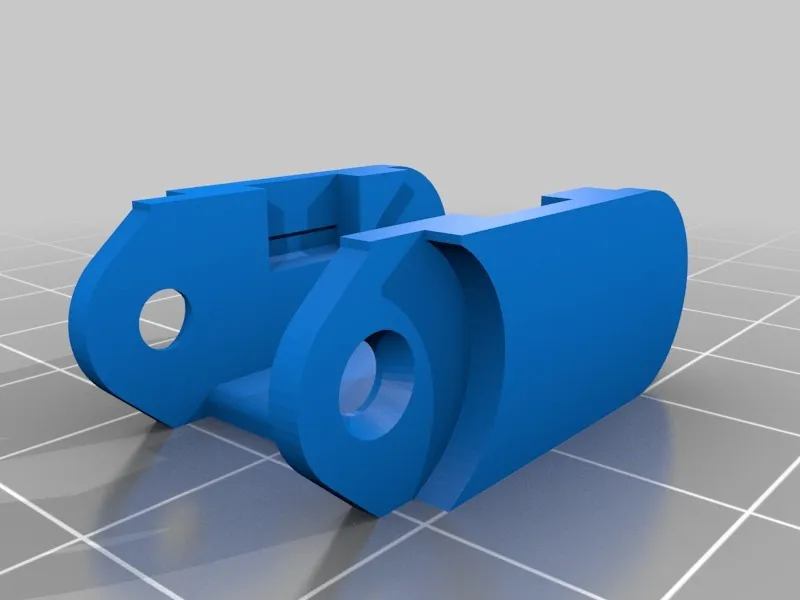
Why Upgrade Your Tevo Tarantula with a Drag Chain
The Tevo Tarantula is a popular and affordable 3D printer, known for its open-frame design and ease of modification. One of the most effective upgrades you can perform to enhance its performance, reliability, and aesthetics is the installation of a drag chain. Drag chains are designed to manage and protect the various cables that connect to the moving parts of your 3D printer. They provide a flexible, enclosed channel through which the cables can move smoothly, reducing the risk of snags, tangles, and wear and tear. This upgrade is especially important for the Tevo Tarantula, which is known for its exposed wiring. Implementing a drag chain is a worthwhile investment to optimize printing quality and lifespan of your 3D printer. Furthermore, it is an accessible upgrade for most 3D printing enthusiasts.
Benefits of a Drag Chain
Improved Cable Management

The primary benefit of a drag chain is the significant improvement in cable management. Instead of dangling freely, the cables are neatly contained within the chain’s links. This prevents them from interfering with the printer’s movements and eliminates the frustrating issue of cables getting caught on the frame or other components. Improved cable management is important because it leads to more stable and reliable operation of your 3D printer. Without proper management, cables can snag on various parts of the printer and cause the print head to shift, leading to a failed print. Drag chains ensure that the cables follow the printer’s movements cleanly and predictably.
Reduced Wear and Tear
Constant flexing and bending can damage the wires within your printer’s cables over time. A drag chain minimizes this by providing a controlled path that limits the degree to which the cables are bent. This reduction in stress translates to a longer lifespan for your cables, saving you the cost and inconvenience of frequent replacements. Additionally, by containing the cables, drag chains protect them from external factors such as heat, abrasion, and accidental damage. The reduction in wear and tear, in turn, decreases the likelihood of short circuits and other electrical issues.
Enhanced Print Quality
By keeping cables organized and out of the way, drag chains contribute to enhanced print quality. Loose cables can interfere with the movement of the print head or the heated bed, causing vibrations or shifts that can ruin a print. A drag chain ensures that the printer’s components move smoothly and consistently, allowing for greater precision and accuracy. The stability provided by a drag chain leads to fewer printing errors, such as layer shifting, and better overall print quality. The improvements in the quality of the print directly enhance the results you can achieve with the Tevo Tarantula.
Prevented Snags and Tangling

The open-frame design of the Tevo Tarantula makes it prone to cable tangling. Drag chains eliminate this risk by containing the cables and guiding them in a predictable path. This prevents the cables from getting caught on the printer’s frame, moving parts, or the printed object itself. This is especially important for long prints that run for many hours, and without a drag chain, the printer’s cables can easily get tangled and cause print failure. Preventing snags and tangling is vital for ensuring uninterrupted and successful 3D printing. By eliminating these problems, you can minimize downtime, reduce material waste, and improve the overall printing experience.
Aesthetic Enhancement
Beyond their functional benefits, drag chains can significantly improve the aesthetic appearance of your Tevo Tarantula. They give the printer a cleaner, more professional look by neatly organizing the cables. A well-organized printer not only looks better but can also be easier to maintain and troubleshoot. A tidy printer is easier to diagnose issues when they arise and makes it easier to access and service components. The aesthetic enhancement provided by a drag chain can greatly improve the overall appeal of your 3D printing setup. Overall, by managing cables, the look of the printer is greatly improved.
5 Amazing Drag Chain Upgrades for Your Tevo Tarantula
Upgrading your Tevo Tarantula with drag chains is a straightforward process that can yield significant improvements in performance and reliability. Here are five key areas where drag chains can be implemented to dramatically enhance your 3D printing experience:
Drag Chain Upgrade 1 Extruder Cable Management

The extruder is a critical component of the 3D printer, responsible for feeding the filament to the hot end. Keeping the extruder cables managed is essential to avoid disrupting the print process. A drag chain that is dedicated to the extruder ensures that the cables move smoothly with the print head, preventing any snags or interference with the print nozzle. This ensures proper cable management, which avoids disrupting prints.
Installation Guide
Install a small drag chain on the X-axis. Measure the distance from the extruder to the frame. Attach the drag chain to the extruder carriage and to a suitable point on the frame. Ensure that the cables are routed through the drag chain, and that the movement of the print head is unimpeded.
Drag Chain Upgrade 2 Heated Bed Cable Management
The heated bed cables are critical for the functionality of the Tevo Tarantula. Proper cable management for the heated bed reduces the risk of cable damage due to excessive bending or entanglement. A drag chain here ensures that the bed moves freely without the risk of the cables getting snagged or damaged. Securing these cables ensures the heating function of the print bed is consistent and reliable. This ensures that the printing surface heats up properly, promoting good adhesion and preventing warping.
Installation Guide

Route a drag chain from the heated bed to a fixed point on the frame. Measure the distance. Secure the drag chain to both the heated bed and the frame, making sure the cables are inside the drag chain. Ensure that the drag chain flexes smoothly as the bed moves up and down.
Drag Chain Upgrade 3 X-Axis Cable Management
The X-axis moves the print head from side to side. The drag chain installation on the X-axis ensures that the cables connected to the hot end move smoothly without tangling or obstructing the movement. This promotes print quality and minimizes the chance of print failures due to cable interference. This is an important upgrade because the X-axis is the most mobile part of the printer.
Installation Guide
Attach a drag chain to the X-axis carriage and a fixed point on the frame. Measure the required length carefully. Route the extruder cables and any other related cables through the chain. Check for smooth movement across the entire X-axis range.
Drag Chain Upgrade 4 Y-Axis Cable Management

The Y-axis controls the front-to-back movement of the print bed. Drag chains here prevent the heated bed cables and other cables from getting caught or damaged during the printing process. It ensures that the bed moves smoothly and that the print quality is maintained. It’s crucial to safeguard the wiring, especially in an open-frame printer.
Installation Guide
Mount a drag chain from the printer’s frame to the heated bed platform. Route the necessary cables through the drag chain. Verify that the bed can move freely across the entire Y-axis travel without any obstructions.
Drag Chain Upgrade 5 Overall System Cabling
Beyond the specific axes, it’s beneficial to manage all cables that connect to the printer’s main components. This enhances the overall appearance, increases safety, and simplifies troubleshooting. Drag chains here will keep all cables organized and out of the way. It protects the wiring from possible damage. It will make maintenance easier.
Installation Guide

Consider the overall cable layout. Plan the routes. Attach drag chains strategically to gather and guide all cables. Ensure that the cables have adequate slack and that they do not obstruct the movement of any printer parts.
Materials and Tools You’ll Need
Drag Chain Selection
Choose a drag chain that is the appropriate size for your Tevo Tarantula. Consider the size and quantity of cables that need to be accommodated. Ensure that the drag chain is flexible enough to handle the printer’s movements without binding. Most users opt for small drag chains of 10x10mm to 10x20mm to be compatible with the printer’s frame.
Installation Process

Installing drag chains is a straightforward process that usually involves measuring, cutting, and attaching. This may require basic tools such as a drill, screwdriver, or Allen keys. Make sure to properly route the cables through the drag chain and secure it to your printer’s frame and moving components. It’s important to ensure the drag chain does not interfere with the printer’s movement.
Step-by-Step Guide
Measure the length of the required drag chain sections accurately. Cut the drag chain to the appropriate lengths. Attach the drag chain to the printer’s frame and moving components. Route the cables through the drag chain carefully. Test the movement of all components to ensure there is no interference.
Safety Precautions
Before beginning the installation, ensure your 3D printer is powered off and unplugged. Use appropriate safety gear such as safety glasses when cutting or drilling. Double-check all connections after installation to avoid short circuits or any potential hazards. Ensure that all cables are correctly seated and secured within the drag chain.
Troubleshooting Common Issues
Cable Binding
If cables are binding within the drag chain, it means that they might be too tight. Make sure that the cables are routed smoothly, without sharp bends, and that there is some slack. Adjust the drag chain’s mounting points to give more cable length. Also, consider using a larger drag chain if more space is required.
Drag Chain Slipping
If the drag chain slips or detaches from its mounting points, it usually means the attachment method is not strong enough. Make sure that you are using secure mounting methods, such as screws and zip ties. Double-check the mounting points to make sure they are securely fastened. If this issue persists, replace the existing mounting hardware with more reliable options.
End Results & Conclusion
Installing drag chains is an excellent upgrade for your Tevo Tarantula, enhancing its overall performance, appearance, and reliability. By following the steps outlined, you can improve cable management, reduce wear and tear, and improve print quality. You can prevent cable snags and improve the overall aesthetics of your printer. This upgrade is a great way to improve your printing experience. With the installation of drag chains, you will be able to enjoy a more reliable and efficient 3D printing experience with the Tevo Tarantula, extending the lifespan of your printer and minimizing the likelihood of print failures.